

Data & Network Cabling in Woy Woy: Faster, More Reliable Home Internet
More of life runs over the home network than ever, working from home, video calls, streaming, gaming, smart devices and security cameras all lean on it. Wi-Fi is convenient, but on its own it struggles with distance, thick walls and the sheer number of devices in a modern household. Hardwired data cabling is the quiet upgrade that makes everything more reliable, and for many Woy Woy homes it's well worth doing.
The case for cabling is simple: a wired connection is faster, more stable and lower-latency than Wi-Fi, and it isn't affected by interference or congestion. For anything that matters, a home office, a smart TV, a gaming setup, or a Wi-Fi access point in a far corner of the house, running a cable to it removes the dropouts and slowdowns that make Wi-Fi-only setups frustrating. You keep Wi-Fi for phones and tablets, and hardwire the things that need to be solid.
Older and extended homes on the peninsula often suffer most from Wi-Fi blackspots. Double-brick walls, additions, and homes spread over a couple of levels all block wireless signal. The fix isn't always a bigger router, it's running cabling to well-placed access points so strong Wi-Fi reaches every room, with wired connections for the rooms that need guaranteed performance. That combination beats throwing more wireless gear at the problem.
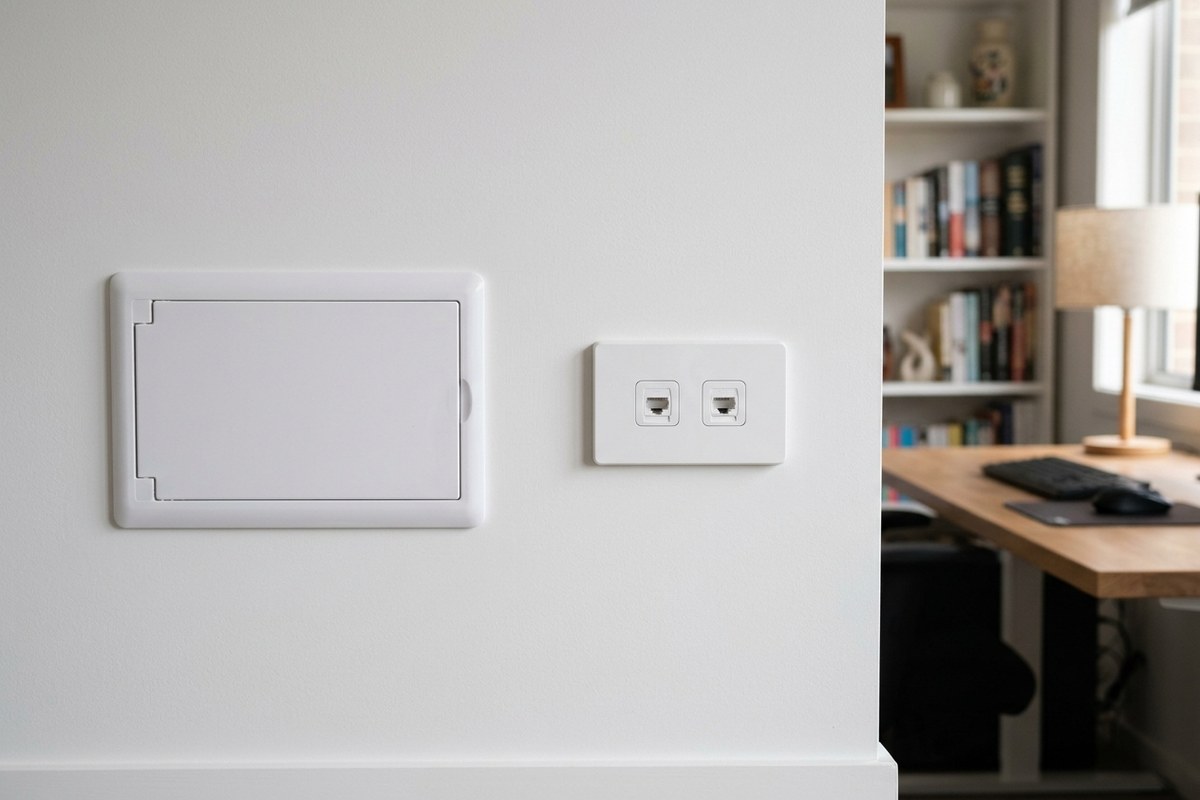
A typical home data installation involves running cabling, usually Cat6, from a central point to wall data points in key rooms, terminating everything neatly at a small network enclosure or patch panel. From there it connects to your modem or router. The result is clean wall outlets where you need them and a tidy central hub, rather than cables draped across floors and through doorways. Done properly, the cabling is concealed in walls and ceilings, so all you see is a flush outlet.
Working from home is the most common reason people call. A wired connection at the desk means video calls don't freeze, large files upload reliably, and you're not at the mercy of someone streaming in the next room. If your household has more than one person working or studying from home, hardwiring the key spots takes the pressure off the whole network.
It's also smart to think ahead. Running a couple of extra data points while the walls are open during a renovation, or wiring for a future office, media room or security cameras, costs little extra at the time and saves a retrofit later. Good cabling is infrastructure, it quietly supports everything you plug into it for years.
While data cabling is low-voltage, it's still best done by a professional for a clean, reliable result. Proper cable, correct termination, tidy routing and quality outlets are what separate a system that performs from one that's flaky. A licensed electrician or data technician will also keep it neatly separated from power cabling and run it safely through your walls and roof space.
If your Wi-Fi can't keep up, or you've got rooms the signal never quite reaches, hardwired cabling is the reliable fix. A quick look at your home and how you use it is enough to map out where cabling will make the biggest difference and how to run it cleanly.
It pays to start at the source. Wherever your internet enters the home, the NBN connection point and modem, is the natural hub for cabling. Locating your router centrally and running cable out from there, rather than tucking it in a far corner, makes a big difference to how well the whole home is served. Sometimes the simplest win is just relocating the modem to a better spot and cabling from there.
Think about how many points you really want, and add a couple extra. Each desk, TV, gaming spot and intended Wi-Fi access point wants a data outlet, and running one or two spares while the walls are open costs little. It's far cheaper to install an unused point now than to retrofit one later, so a quick plan of current and likely-future needs is time well spent.
Cabling and Wi-Fi work best together. The strongest setups run cable to well-placed wireless access points so that fast, seamless Wi-Fi blankets the home, while the devices that need rock-solid performance plug straight in. Modern access points on a wired backbone comfortably handle a houseful of devices, something a single router in the corner simply can't do, no matter how good it is.
If you're not sure where to start, a simple site walk-through answers most of it, where the internet comes in, which rooms matter most, where the Wi-Fi struggles today, and the cleanest routes to run cable. From there it's easy to plan a setup that fixes the dropouts now and has a little room to grow, all installed neatly behind the walls.
Frequently Asked Questions
Isn't Wi-Fi good enough on its own?
Wi-Fi is convenient but struggles with distance, thick walls and large numbers of devices. Hardwiring the things that need stability, like a home office, TV or an access point, removes dropouts, while Wi-Fi still handles phones and tablets.
What cable is used for home data?
Usually Cat6, which comfortably handles current and near-future home internet speeds when it is terminated correctly.
Can data cabling be added without a mess?
Yes. Runs are concealed in walls and ceilings to flush wall outlets, which is especially easy during a renovation. In finished homes a good technician uses existing cavities and access points to keep things tidy.
Will hardwiring fix my Wi-Fi blackspots?
It is the reliable fix. Running cable to well-placed access points spreads strong, even Wi-Fi through the home far better than a single router or simply adding more wireless gear.
Talk to a Local Central Coast Electrician
Tired of Wi-Fi Dropouts? Our licensed Woy Woy team can run tidy, hardwired data cabling for rock-solid internet where you need it. Chat with our team to plan it out.