

Wiring a Smart Home in Woy Woy: What to Plan Before the Walls Close Up
Smart-home technology has moved well beyond a novelty light globe controlled from a phone. Households on the Woy Woy peninsula are increasingly asking for lighting scenes, automated blinds, security cameras, intercoms, fast whole-home internet and energy monitoring, and the difference between a smart home that works and one that frustrates everyone usually comes down to decisions made long before the technology is switched on.
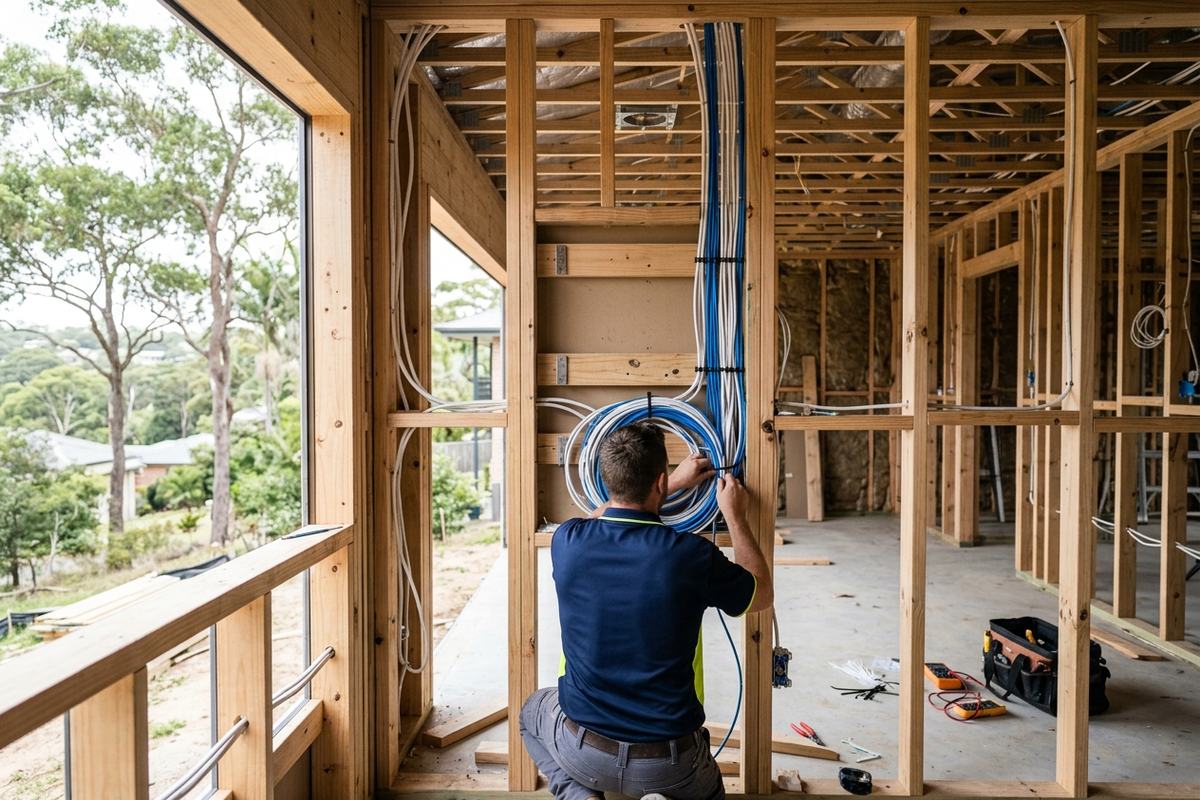
The single most important thing to understand is timing. The cheapest and tidiest moment to wire a smart home is while the walls are open during a new build or major renovation. Once the plaster is on, every change means cutting, chasing and patching. A short planning conversation at rough-in stage saves far more than it costs.
Wired or wireless: the decision that shapes everything
Many smart devices talk over Wi-Fi or low-power wireless protocols, and for a finished home that can't be rewired, wireless is often the practical choice. But wireless depends on a strong, congestion-free network, and large or double-brick homes, common around the older parts of the peninsula, can swallow a signal. Where the walls are open, running physical cable to key devices is the more reliable foundation. A sensible approach blends the two: hard-wire the things that benefit most from a stable connection, and leave wireless for the rest.
The cabling worth running before the plaster goes on
A future-proof rough-in usually includes generous data cabling, because today's data cable does far more than carry internet. Category-rated cabling can support wired internet points, Wi-Fi access points mounted on ceilings for even coverage, fixed cameras, video intercoms and some control panels. Running spare cables to ceiling spaces, the front door, the garage and the living areas costs little while the walls are open and removes a major headache later.
Data and communications cabling in Australian homes is covered by the AS/CA S009 wiring rules and is work for a registered cabler, so it's worth confirming whoever does it is qualified rather than assuming it's a job for any handyman.
Lighting, switches and power
Smart lighting can be done at the globe, the switch or the circuit, and each approach wants different wiring. Switch-based control, which many people prefer for its reliability and clean wall plates, often needs a neutral wire at the switch, something older homes frequently don't have. Identifying this early means the right cabling can be run rather than discovering the limitation after the walls are closed. It's also the moment to think about where powered blinds, sensors and extra outlets should live, so the home supports the lifestyle rather than fighting it.
The network backbone and the comms cabinet
Behind every smooth smart home is a tidy central point where the internet connection, network switch, power and cabling all come together. Setting aside a small cabinet or enclosure, with power and ventilation, keeps the brains of the system in one accessible spot rather than scattered behind furniture. Planning this location during the build is far easier than retrofitting it, and it makes future upgrades and fault-finding much simpler.
Retrofitting an established peninsula home
Not everyone is building from scratch, and plenty of Woy Woy homes are getting smarter without a full renovation. Retrofits lean more heavily on wireless devices and on running cable through accessible roof and subfloor spaces. A licensed electrician can often pull new cabling to a few strategic points, a ceiling access point, a camera location, a switchboard energy monitor, without major disruption, then let wireless handle the rest. The key is being realistic about what each space can support and prioritising the connections that matter most.
Start with how you actually live
The best smart-home plans begin with the household's habits, not a catalogue of gadgets. It's easy to over-engineer a system with features nobody ends up using, so it helps to think through the daily routine: which lights get switched together, where people want to control things from, what would genuinely make mornings or evenings easier, and which security or comfort features matter most. Mapping that out before the cabling plan is drawn means the wiring supports a home that fits the family, rather than a showcase of technology that quietly goes unused after the first month.
Frequently Asked Questions
Do I need an electrician for smart-home wiring, or can I do it myself?
Fixed wiring, switches and anything connected to the mains must be carried out by a licensed electrician, and data cabling must be done by a registered cabler. Plug-in wireless devices you can generally set up yourself, but the wiring foundation is licensed work.
Is it worth wiring for smart features if I'm not using them yet?
Often yes. Running spare cabling while the walls are open is inexpensive, whereas adding it later means cutting into finished plaster. Many people install the cabling now and add the devices over time.
Will a smart home still work if the internet drops out?
It depends on the system. Well-designed setups keep essential functions like lighting and switches working locally even when the internet is down, while cloud-only features may pause. This is worth discussing when the system is planned.
Can an older Woy Woy home be made smart without rewiring?
Usually, to a point. Wireless devices and a few targeted cable runs through roof or subfloor spaces can add a lot without a full rewire, though some switch-based features may be limited by the existing wiring.
Talk to a Local Central Coast Electrician
Planning a smart-home build or renovation? Get the wiring right before the walls close up. Talk to a local Woy Woy electrician about a smart-home cabling plan that suits how your household actually lives.